

Advertorial

What your browser loads

Your Browser Does More Than Display Websites.Here's how you can take more control of what it loads

Open a single news page and watch what your browser actually does. It fetches the article, sure. But alongside it, quietly and without asking, it pulls in advertising networks, analytics scripts, a scattering of social widgets, and a handful of tracking domains you've never heard of. You came for one thing. The page delivered a dozen others.

Featured
AdGuard
Covers
Browser · device · DNS
Read
8 minutes
A laptop screen showing a web page stripped back to its article text

Most of us have simply learned to tune this out. We scroll past the banners, close the pop-ups on reflex, and mute the autoplay video before it finishes buffering. But “learning to live with it” isn't the same as choosing it.

This piece is about the choosing part, what all that background activity really involves, why your browser's built-in settings only take you so far, and how a tool like AdGuard gives you a firmer hand on what loads and what doesn't.

What's Actually Loading Alongside the Page

Here's the part that surprises people. The website you meant to visit is often a minority of the traffic your browser handles during a single visit.

The rest arrives from third parties: ad exchanges bidding for space, analytics services logging your behavior, tracking pixels reporting back to servers you'll never see, and embedded content stitched in from other platforms.

For you, that translates into a few familiar frustrations stacked on top of one another:

  1. Visual clutter that crowds out the thing you're reading

  2. Pop-ups and interstitials that interrupt at the worst moments

  3. Pages that feel sluggish and harder to navigate than they should

  4. A steady stream of tracking requests heading to third-party domains

It's worth being clear about the goal here, though. This isn't a crusade against every advertisement ever served. Plenty of ads are harmless, and plenty of sites depend on them. The real question is narrower and more reasonable: who decides which elements are allowed to run on your device? Right now, more often than not, the answer is “not you.”

Where Built-In Browser Settings Run Out of Road

Modern browsers aren't defenseless. Most ship with some privacy toggles, a pop-up blocker, and perhaps a setting to limit certain trackers. That's genuinely useful, and for casual browsing it covers a fair amount of ground.

The limits show up once you want more than the basics. A browser extension can strip out ads on the pages you visit, but its reach usually stops at that browser's own activity. Anything happening in another app, a different browser, or a device without the extension installed sits outside its coverage. If your digital life spans a phone, a laptop, a tablet, and a smart TV, protecting one browser tab starts to feel like locking a single window in a house full of doors.

  1. One browser

    An extension covers the pages you open in the browser it is installed in.

  2. The whole device

    System-level filtering works below any single page, screening requests before they reach your apps at all.

  3. The network

    DNS-based filtering applies to requests leaving the device, whichever app made them.

This is where filtering at a deeper level enters the picture. System-level and DNS-based filtering work below any single webpage, screening requests before they reach your apps at all. AdGuard's products include options for blocking ads and trackers at these different levels, and which one fits depends on the device and the specific product you're using. The idea is coverage that follows you across your setup rather than clinging to one tab.

The Shift From “Ad Blocker” to “Filtering Toolkit”

The phrase “ad blocker” undersells where these tools have landed. Blocking banners was the original job, but it's no longer the whole job. People reaching for modern filtering tools tend to want a bundle of related controls working together:

  • Ad blocking to clear the visual noise
  • Tracker filtering to limit who's logging your activity
  • Phishing protection to flag deceptive sites
  • Malicious-domain blocking to head off known bad destinations
  • Custom rules for the people who want to fine-tune things themselves
  • DNS protection that filters requests at the network level
  • Parental controls to shape what younger users encounter
  • Device-level filtering that isn't chained to a single browser

The common thread isn't paranoia. It's a preference for a browsing environment you can actually shape to your own liking, rather than accepting whatever loads by default.

A Closer Look at AdGuard

AdGuard is built around exactly that broader approach. Rather than a single browser add-on, it's a family of products spanning Windows, Mac, Android, iOS, browsers, Linux, and other supported platforms.

The core purpose stays consistent, blocking ads and trackers, while selected versions layer on extras like phishing protection, DNS filtering, parental controls, and general browsing security.

The distinction that matters most is where the filtering happens. Because AdGuard can operate at different levels depending on the product and device, it isn't limited to cleaning up one browser's traffic. Below are the pieces worth understanding before you decide whether it suits how you browse.

Explore AdGuard
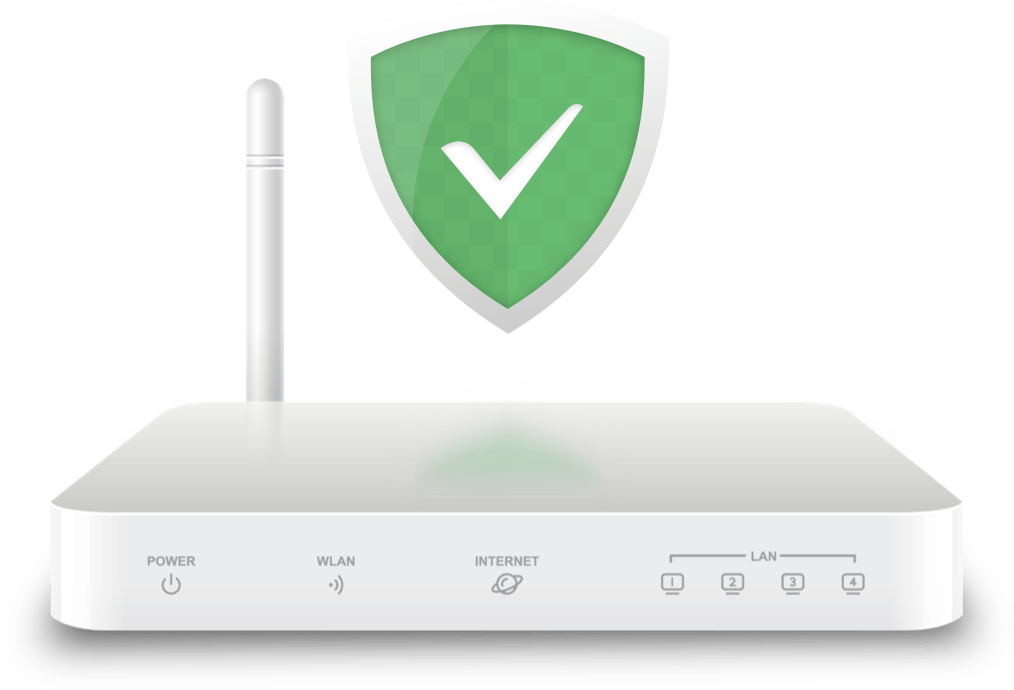
An illustration of a home router carrying the AdGuard shield, representing network-level DNS filtering
Filtering at the network reaches requests that never pass through a browser. Illustration: AdGuard.

Ad and tracker blocking

At its foundation, AdGuard applies filtering rules to spot and block advertisements and tracking elements. In practice that means less visual clutter on the pages you read, and fewer requests slipping out to known advertising and tracking domains in the background. It's the feature most people notice first, simply because pages feel calmer.

Phishing and malicious-domain protection

Supported AdGuard products can filter access to domains flagged as phishing or malicious. It won't catch everything, no tool does, but it adds a layer between you and destinations already known to be harmful. Think of it as a second opinion before your browser commits to loading a questionable address.

DNS protection

The DNS functionality filters requests using selected servers, DNS filters, and your own custom rules. Because DNS sits at the network level, this kind of filtering can reach across your device rather than a single app, blocking advertising, tracking, malicious, and phishing domains depending on how you've configured it. For anyone juggling several apps or devices, this is often the piece that does the heavy lifting.

Custom filtering

Blocklists are a starting point, not a straitjacket. AdGuard lets you write custom rules and decide for yourself which domains get blocked and which get a pass. If a standard list is either too aggressive or too lenient for your taste, you can adjust it, which appeals to people who'd rather set their own boundaries than inherit someone else's.

Parental controls

Supported products include parental-control features aimed at filtering unwanted content and setting limits around children's online activity. It's a practical option for households wanting a bit more structure over what younger users can reach, without having to police every device by hand. As with the rest of the lineup, exactly what is available depends on the product and the platform it runs on.

What Users Say on the Chrome Web Store

Reproduced from the AdGuard AdBlocker extension's public Chrome Web Store listing, filtered to English and sorted by most recent. The listing is the authority on the current figures.

Rating
4.7 out of 5
Ratings
68.4K
Listed by
Adguard Software Limited
  1. Ilene Fields

    Excellent ad blocker! But make sure to open Settings and set the Filters and Tracking Protection!

  2. Francesco Barboza

    With advertisements being as bothersome as they are. With the ability to skip being so seldom the option. You're left with little choice but to go by an adblocker and only a select few that prove worthwhile. Luckily, this extension proves itself to be one of those select few that is worth installing. While not without issue it's still effective at filtering all the ads in most platforms you'd find them on the web of today. … Excerpt

  3. Roy Arturo Estrada (BiggRoy)

    This is the best ad blocker I have used. I have tried others but none compar to this one. I can watch YouTube without ever seeing a single ad. I can go into movies sites that usually open page after page just to watch a move but with this Ad Guard I never have to worry of any other pages opening. Of couse some websites require you to disable it in order to access there the webpages but for the most part you can always keep it on and never worry about intrusive ads ever again.

  4. Lincoin Xie

    Good.But Sometimes'll be struggle with problem when it (this pluggin) be updated.The Record data lost maybe.

  5. Idan

    The best, The quality and features you'd get for paying but for free. Blocks EVERY ad too

  6. Luc Woker

    Super!!!

Reviews are the opinions of the individual users who published them on the Chrome Web Store and are reproduced here for reference only. They are not endorsements by this website and do not describe results you should expect. The listing's rating, review count and review content can change at any time.

Who This Tends to Suit

Filtering software earns its keep for people who genuinely feel the friction, and matters far less for people who don't.

  • Readers who want the page, not the packaging

    If you regularly lose your place to an overlay or an autoplay video, the change is immediate and obvious.

  • People running several devices

    A phone, a laptop, a tablet and a TV are four separate problems if your only tool is one browser extension.

  • Anyone trimming their tracking footprint

    Fewer tracking requests leaving the device means fewer third parties assembling a picture of where you go.

  • Readers who like to set their own rules

    Custom rules and allowlists suit people who would rather define their own boundaries than accept a default list.

  • Households with younger users

    Parental controls on supported products add structure without configuring every device individually.

  • Anyone drawn to network-level filtering

    If DNS filtering is the part that appeals, that is where the broader products do most of their work.

Worth Saying Plainly

Filtering is a useful set of controls, not a cure-all, and a few limits deserve stating before you install anything.

Plenty of sites are funded by the advertising you would be blocking. Some detect a blocker and ask you to switch it off before showing content. For publishers you value, an allowlist entry is a reasonable middle ground, and every serious tool offers one.

An ad blocker is not a security suite. Filtering ads, trackers and known malicious domains adds real layers, but it does not replace software updates, strong and unique passwords, or ordinary caution about links and downloads.

Capability differs by platform. What a desktop application can filter and what a mobile app can filter are not the same, because operating-system restrictions set the ceiling. Check which product covers your devices before committing to one.

No filter list is complete. Websites keep changing how advertising and tracking are delivered, lists take time to catch up, and some formats are harder to identify than others. Expect a noticeable improvement rather than a perfectly empty page.

Frequently Asked Questions

The questions readers ask most before changing how their browser handles what it loads.

What does an ad blocker actually block?

Filtering rules identify advertising and tracking elements and stop supported ones from loading. Depending on the product and how it is configured, that can cover banners, pop-ups, interstitials and requests to known advertising and tracking domains.

Is a browser extension enough on its own?

It depends on how you browse. An extension filters activity inside the browser it is installed in. Anything happening in another app, a different browser or a device without the extension sits outside its coverage.

What is DNS filtering?

DNS filtering screens domain requests at the network level using selected servers, filter lists and custom rules. Because it sits below any single app, it can reach across a device rather than one browser.

Does AdGuard work on mobile?

Yes. AdGuard offers applications for Android and iOS, though available features differ between the two platforms because of operating-system restrictions.

Can I decide what gets blocked?

Yes. AdGuard supports custom rules and allowlists, so a default list that feels too aggressive or too lenient can be adjusted to your own preference.

Is an ad blocker the same as antivirus?

No. Filtering ads, trackers and known malicious domains adds useful layers, but it is not a complete security solution and does not replace updates, strong passwords or careful browsing habits.

Decide What Your Browser Is Allowed to Load

The advertising, the analytics and the embedded widgets are not going to stop arriving on their own. What is genuinely open to you is how much of it runs on your device, and at which level you would like that decision made, inside one browser, across the whole machine, or out at the network.

If a firmer hand on what loads appeals to you, AdGuard is worth a closer look. Its range of browser, device and DNS-based products means you can start with something small and move outward if your setup calls for it. Check which product covers the platforms you actually use, and take the level of control that matches how you browse.

Explore AdGuard

This page is a paid advertorial brought to you by clearwebber.com. It is intended for promotional purposes only and should not be considered independent journalism, editorial content, cybersecurity advice, or professional technology guidance. The content has been created or curated by the advertiser and may include affiliate links. We may receive compensation if you purchase a featured product or service through links provided on this website. Please review our Advertising Disclaimer and Privacy Policy.